
PLUGIN ORACLE · IN DEVELOPMENT
IN DEVELOPMENT

THE PROBLEM
Multiple formats, versions, install locations, duplicates, missing components, and forgotten tools can turn a working setup into a guessing game. Plugin Oracle is being designed to show what is installed and help you understand what needs attention.
THE WORKFLOW
01
Inventory
Scan and catalog the plugins installed across supported formats.
02
Insight
Search, filter, and review metadata, formats, duplicates, and missing components from one place.
03
Control
Use a centralized view to decide what belongs in your working plugin library.
PRODUCT PREVIEW
The interface shown is an in-development product preview.
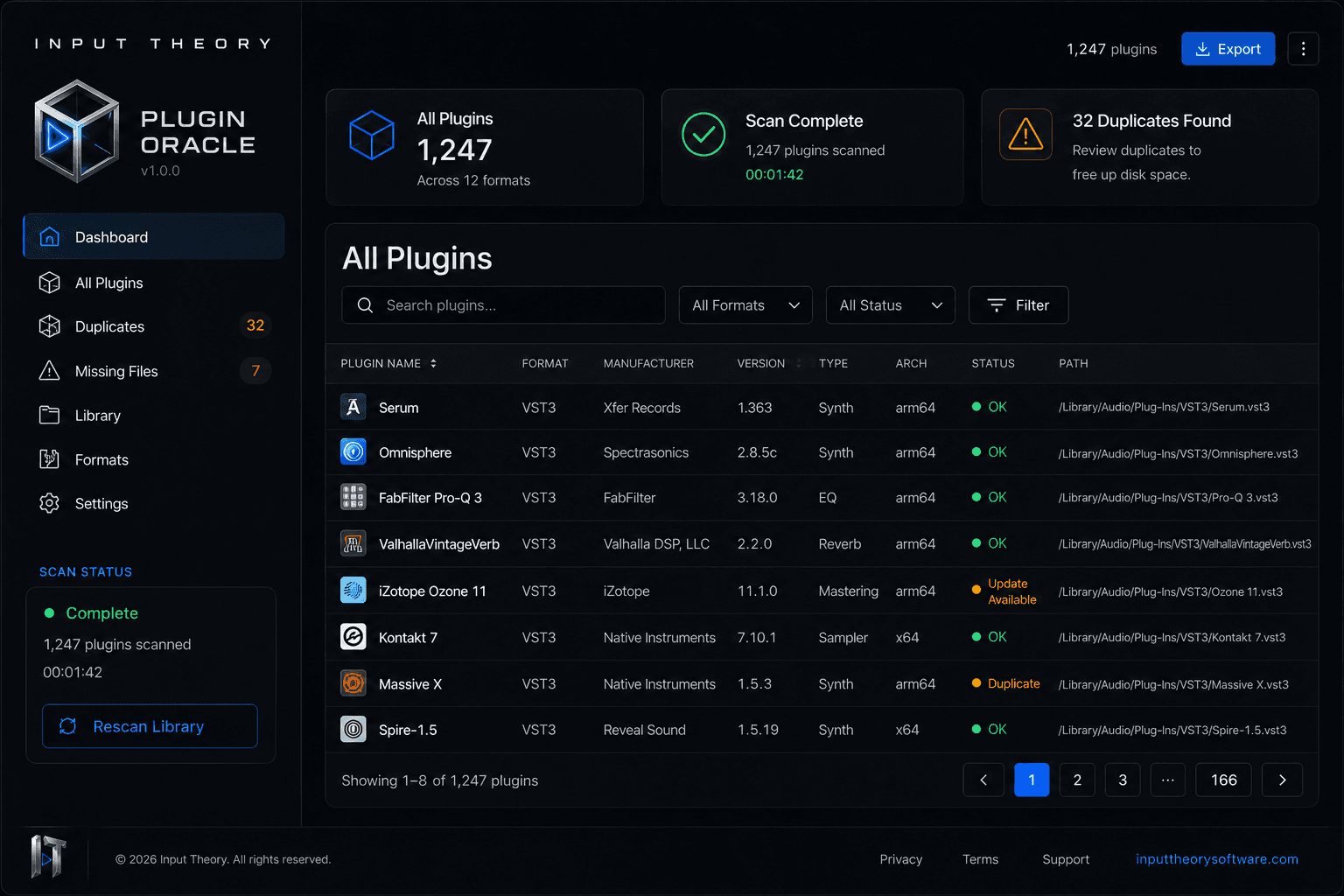

Navigate the whole collection
Move between Dashboard, All Plugins, Duplicates, Missing Files, Library, Formats, and Settings.
Search and filter with context
Find plugins by name and narrow the view with useful metadata and format information.
Spot what needs attention
See duplicates, missing files, missing components, and install problems in a dedicated workspace.
PLANNED FORMAT COVERAGE
Plugin Oracle is being designed to inventory common audio plugin formats in one consistent view.
WHY PLUGIN ORACLE
Know what you have
See a centralized inventory instead of piecing the answer together across folders and formats.
Understand the mess
Surface duplicates, missing components, and format details that are easy to overlook.
Keep expectations clear
Plugin Oracle supports inventory and understanding. It does not replace installers, update managers, licensing tools, or iLok.
Plugin Oracle is currently in development.
COMING SOON